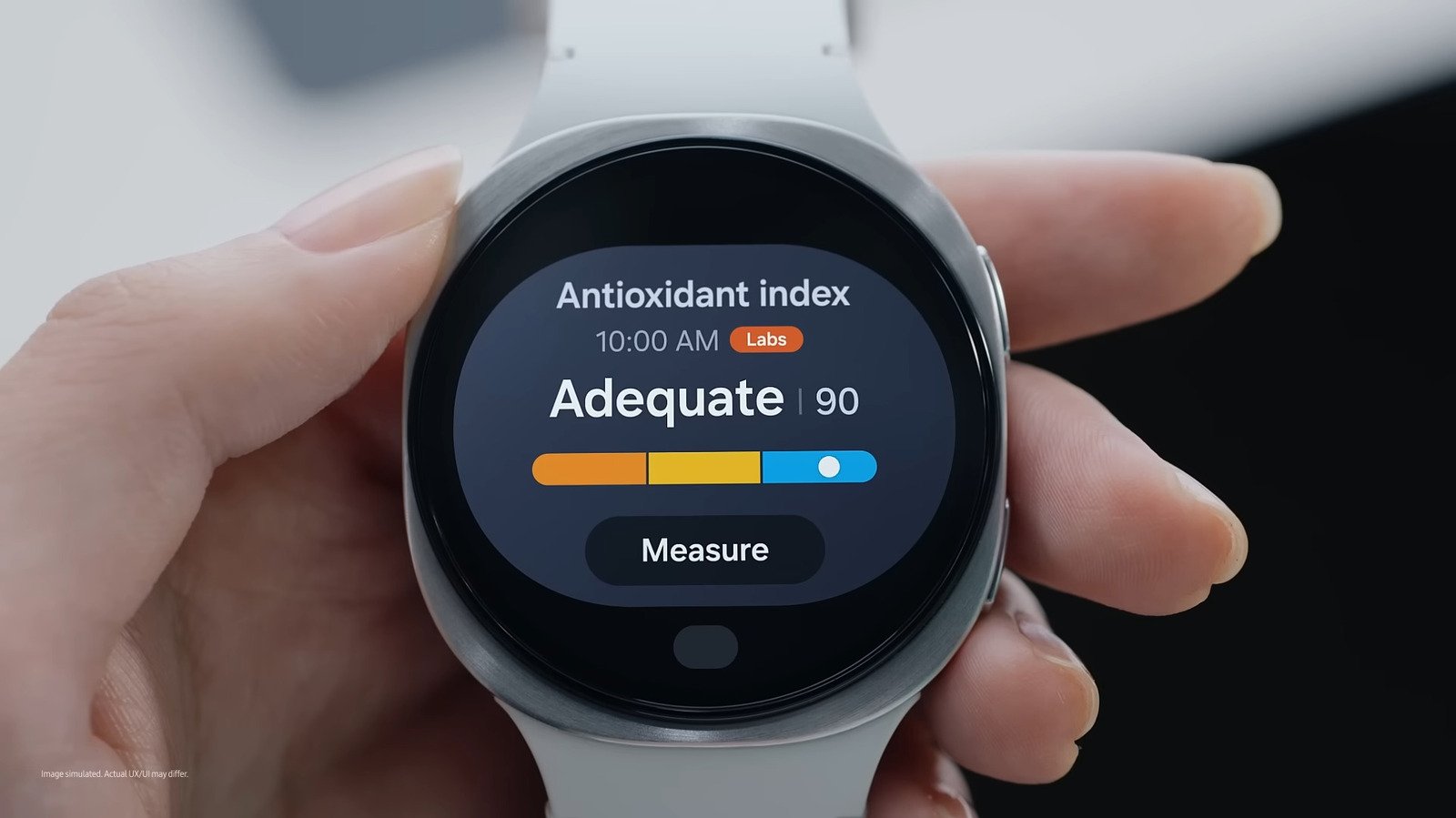
Samsung has made it its mission to make health insights more accessible to users, and one of the health-related features it integrated into Galaxy Watches is the Antioxidant Index — measured with the help of the LEDs at the back of the watch. The Antioxidant Index essentially tells you how well you’re meeting the recommended daily intake of vegetables and fruits set by the World Health Organization (WHO). By seeing your Antioxidant Index score, you have an idea of the real-life impact of your diet on your body, helping you assess whether you need to adjust your lifestyle.
Unlike step counts that are on by default, the antioxidant levels don’t immediately appear on your watch. It’s one of the Samsung Galaxy Watch features you need to enable first. But thankfully, measuring the Antioxidant Index on the Galaxy Watch is fairly quick, and you could get your score in just five seconds. To use the Antioxidant Index tool on your watch, all you have to do is go to the Antioxidant Index tile from the Samsung Health app. Then, take off your watch, hit the Measure button, and press your thumb against the glowing LEDs on the back of your watch. After a short while, your Antioxidant Index score appears on the display.
The process sounds simple enough. But how exactly does your Galaxy Watch measure your body’s antioxidant levels? The watch actually focuses on measuring a specific type of antioxidant called carotenoids. They’re the pigment that gives fruits and vegetables their orange, red, and yellow colors, so they’re generally present in yellow fruits and vegetables, orange fruits, leafy vegetables, and other green veggies. Over time, the carotenoids from the food you eat get stored in the skin, and this is what the Galaxy Watch uses to determine your antioxidant level.
Under the hood of Galaxy Watch’s Antioxidant Index feature
To measure your antioxidant level, the Galaxy Watch is powered by Samsung’s BioActive sensor. It’s made up of multiple types of LEDs that emit light in different wavelengths and a photodiode array that captures light. When you place your thumb over the shining LEDs at the back of your watch, your skin starts absorbing and reflecting the lights. The lights that bounce off of your fingertip are then received by the photodiodes.
This design works because carotenoids are known for absorbing blue light. That means the more blue light your skin absorbs, the higher the estimated carotenoid level it has. After shining lights on your skin, the Galaxy Watch then analyzes the light reflected back to the photodiodes and eventually comes up with a personal carotenoid reading.
Your Antioxidant Index reading can be anywhere between 0 and 100, with 100 being the highest. To make the reading easier to interpret, the watch divides it into three tiers. First is “Very low,” which means you’re under 50% of WHO’s daily recommendation for fruit and vegetable intake (400 grams). Second is “Low,” which puts you between 50% to 100% of the recommendation. And finally, “Optimal,” which is an indication that you met or exceeded the daily recommendation.
If you want to see a timeline of your antioxidant levels, you can head over to the Samsung Health app on your phone. In the Antioxidant Index section, you’ll immediately see a graph at the very top, displaying your previous results. This gives you an idea whether your antioxidant level is improving. If you don’t see any data yet, you need to do a measurement first.
Limitations of the Galaxy Watch’s Antioxidant Index
The Galaxy Watch’s Antioxidant Index isn’t perfect. Among its downsides is its incomplete view of your body’s antioxidant level. Skin carotenoids are only one of many types of antioxidants you can get from food, meaning your Antioxidant Index score isn’t representative of the entire level of antioxidants in your body. That, however, doesn’t mean this feature is useless. The Galaxy Watch is still one of the best wearables for seniors and young alike, especially those who want to see a snapshot of the effects of their diet.
In terms of accuracy, Samsung tested the sensor’s performance through trials with hundreds of participants and cross-checking the sensor readings with Raman spectroscopy, the actual carotenoid measurement method in research and clinical settings. Yet, many users across online platforms report that their Antioxidant Index was low, even though they eat healthy.
There are generally two reasons why this happens. One, the Galaxy Watch’s Antioxidant Index isn’t solely based on your skin carotenoid level. Samsung mentioned that other lifestyle factors including your physical activity, quality of sleep, stress levels, alcohol intake, and even UV light exposure also contribute to how the index is measured.
Another potential reason for your low Antioxidant Index score is the food you eat. While carotenoids are found in many different fruits and veggies, the ones you consume might not have high amounts of this antioxidant. This can result in a lower score. You can check your Samsung Health app for tips on what food to eat to increase your carotenoids. But even then, they don’t immediately build up in your skin. You’ll have to stay consistent for a week or two before the BioActive sensor can pick up on the positive changes.