
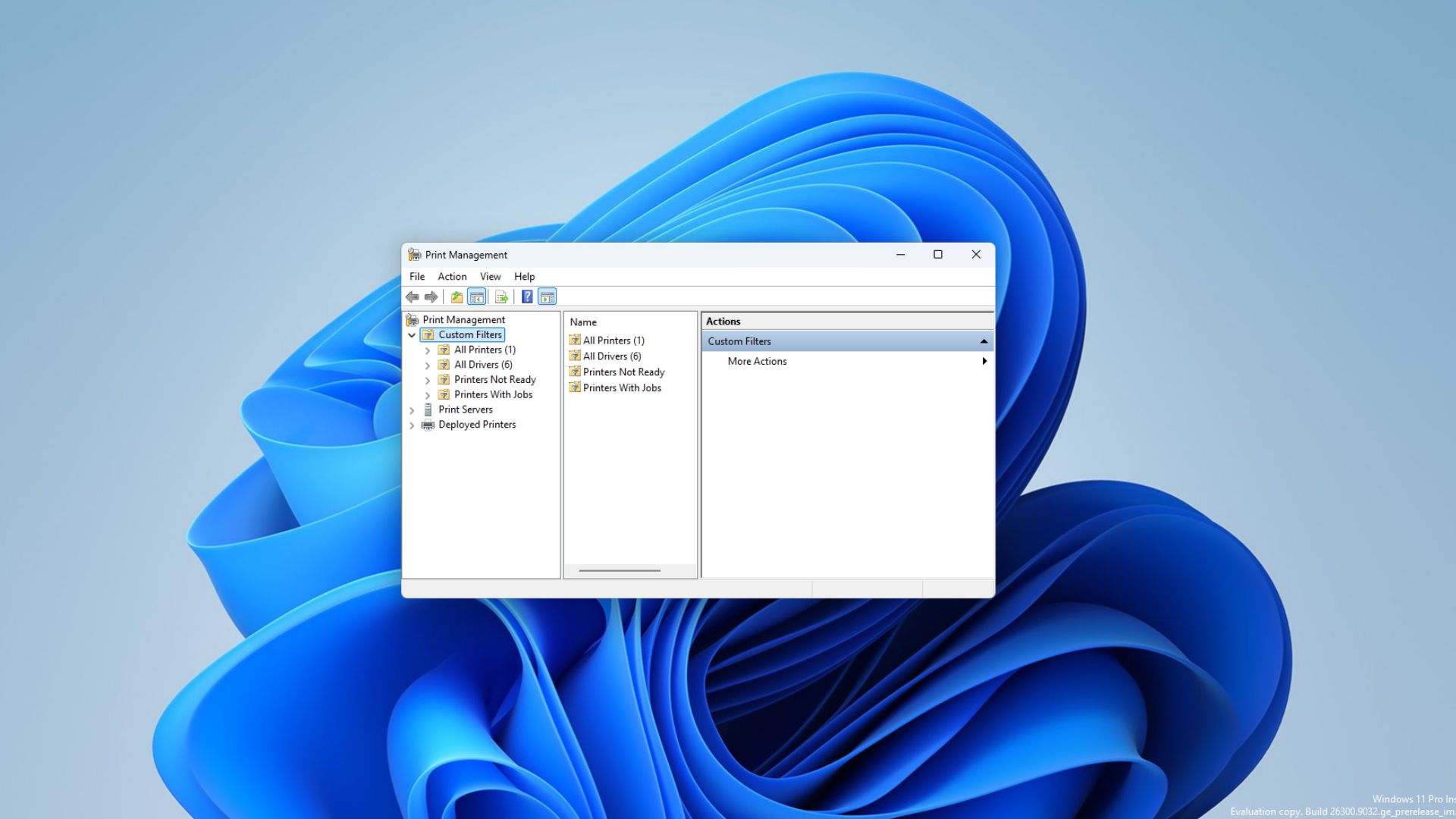
Microsoft is quietly testing a new Print Management app for Windows 11 and it appears to be another step in the company’s broader push to move older parts of the operating system to modern WinUI 3-based experiences.
In short, the new app is not just a fresh coat of paint for printer settings. It shows Microsoft experimenting with how deeper Windows administration tools could move away from legacy MMC-style interfaces and into the same WinUI 3 direction now being used across more of the Windows shell. Windows Latest recently reported on the UI redesign push, where Microsoft confirmed it is dumping legacy code across the shell in favor of WinUI.
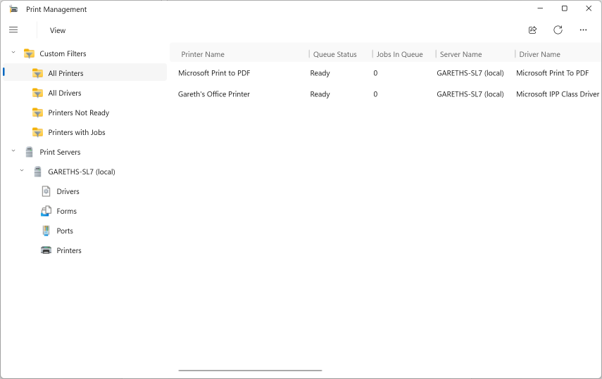
At the time of writing, the app only appears in the Germanium-based Beta and Experimental Windows Insider builds and I was among the first to spot it there. It currently sits alongside the existing Print Management tool, which is still based on the Microsoft Management Console. Microsoft has not announced it as a full replacement, but the new app looks like an early attempt to bring printer administration into the same design direction as the rest of Windows 11.
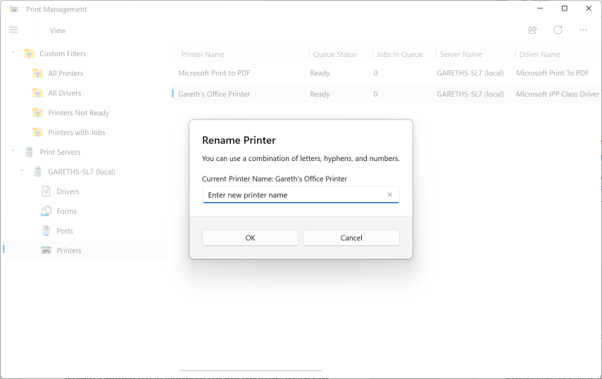
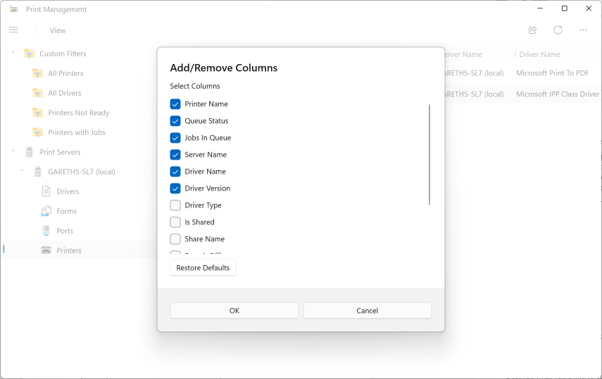
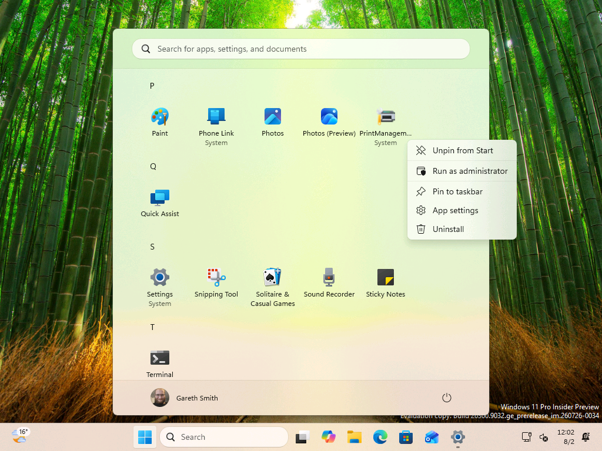
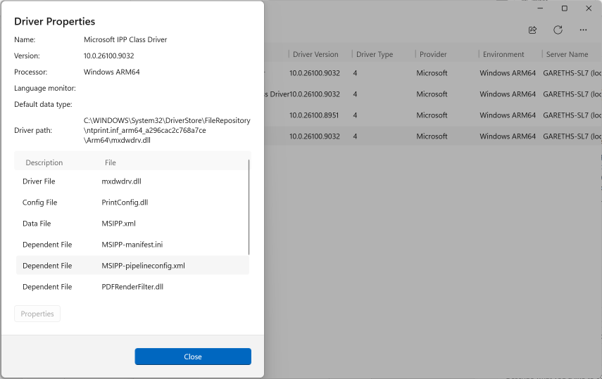
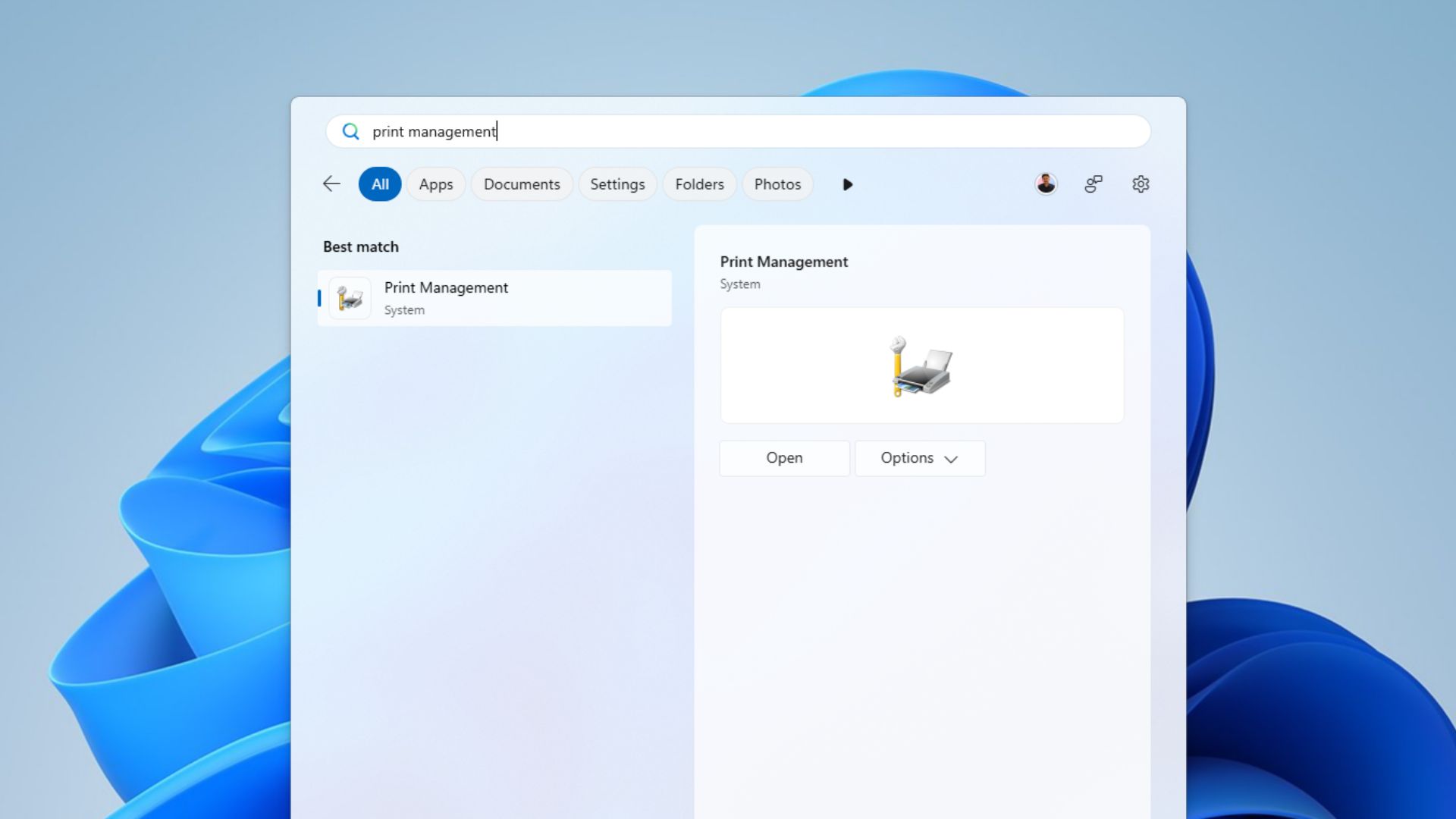
Unlike the legacy MMC snap-in, the new Print Management experience is packaged as a standalone Windows app under MicrosoftWindows.Client.CBS in SystemApps and it is not running in MMC directly. It is not currently listed inside the Windows Tools folder. Instead, it appears as a top-level entry in the All apps list, which makes it look and feel more like a regular Windows 11 app than a hidden administrative console.
You still need to manually run it as administrator
There is one catch. At the moment, users need to right-click the app in the All apps list and select “Run as administrator” to open it properly. From what is visible in current builds, the executable requires admin rights, but the CBS package manifest does not appear to allow the app to request elevation automatically. That means the user has to launch it with administrator privileges manually.
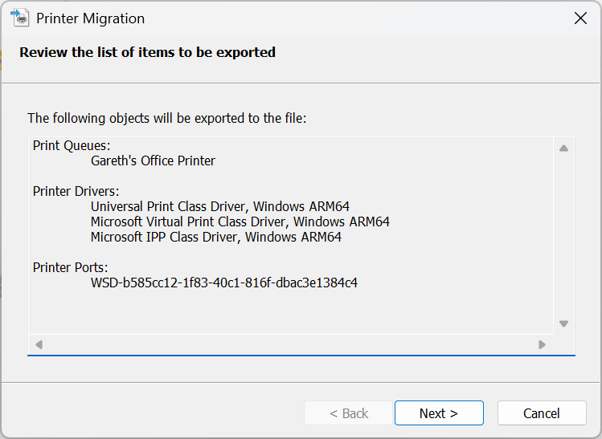
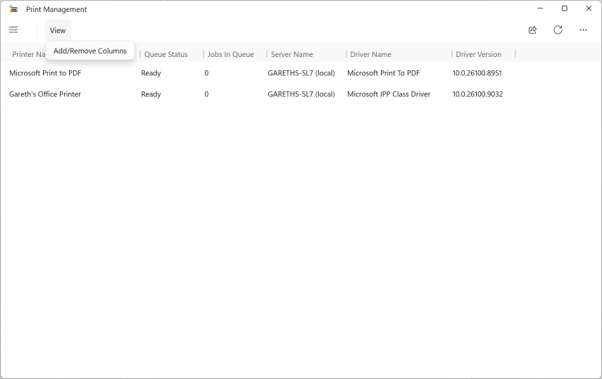
This is why the app currently feels like an unfinished bridge between old and new Windows. It is modern enough to appear as a normal Start menu app, but still depends on old-style administrative behaviour. We also noticed that the experience is not fully consistent yet: some dialogs appear to have updated interfaces, while others still open older legacy windows.
Microsoft’s plan to rebuild Windows 11’s legacy dialogs
The timing is interesting because Microsoft has been more open recently about its plans to refresh older parts of Windows. In one post on X, a Windows team member said: “The file properties dialog in File Explorer was rebuilt in WinUI3. We do have a few places where we implemented dark mode support in the legacy UI as a low risk quick fix, but our plan is to bring more of the Windows UI to WinUI3.”
We got an early look at that redesigned File Explorer Properties dialog, and found no trace of WebView2, just native WinUI elements replacing the Windows 95-era Win32 property sheet.
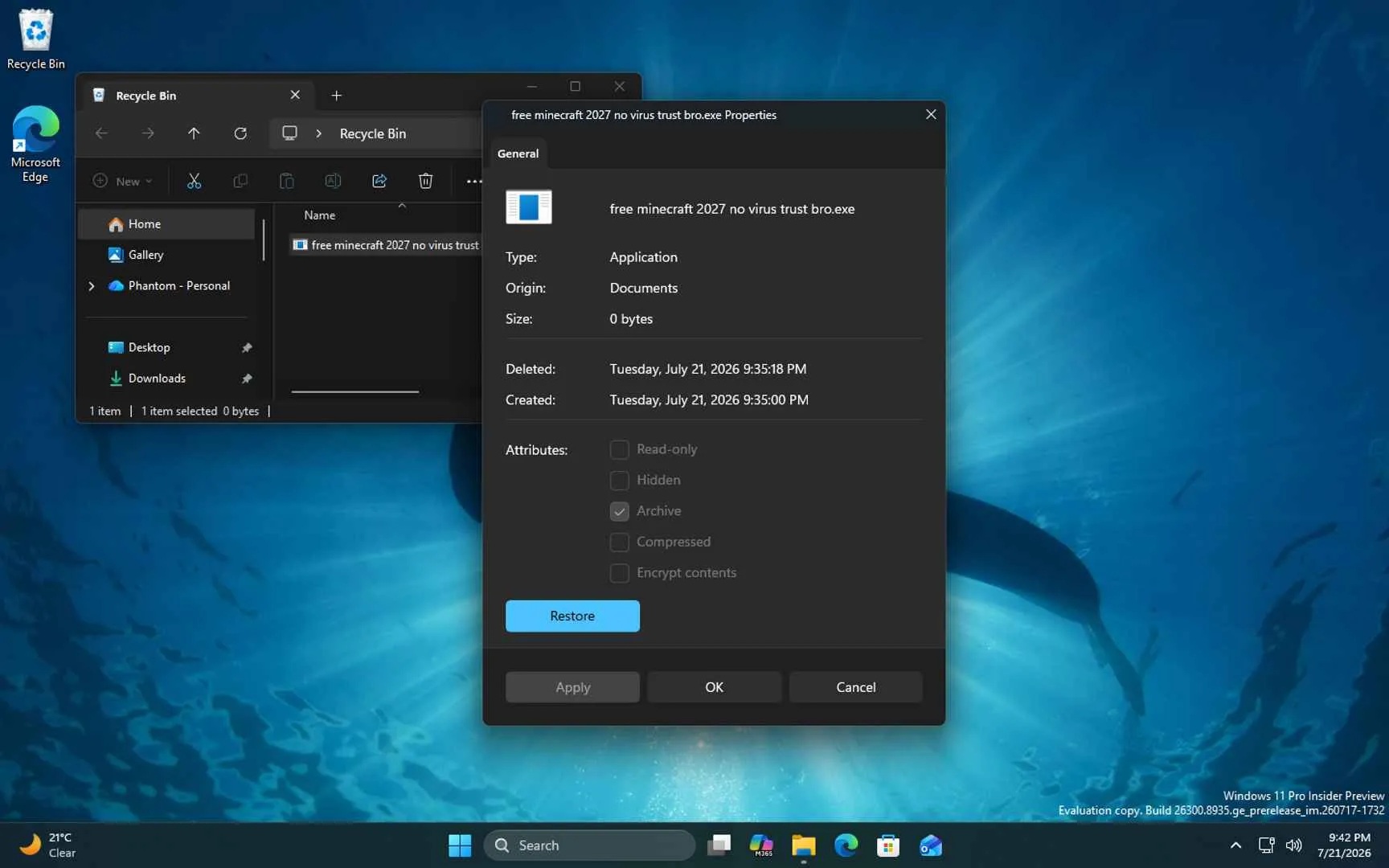
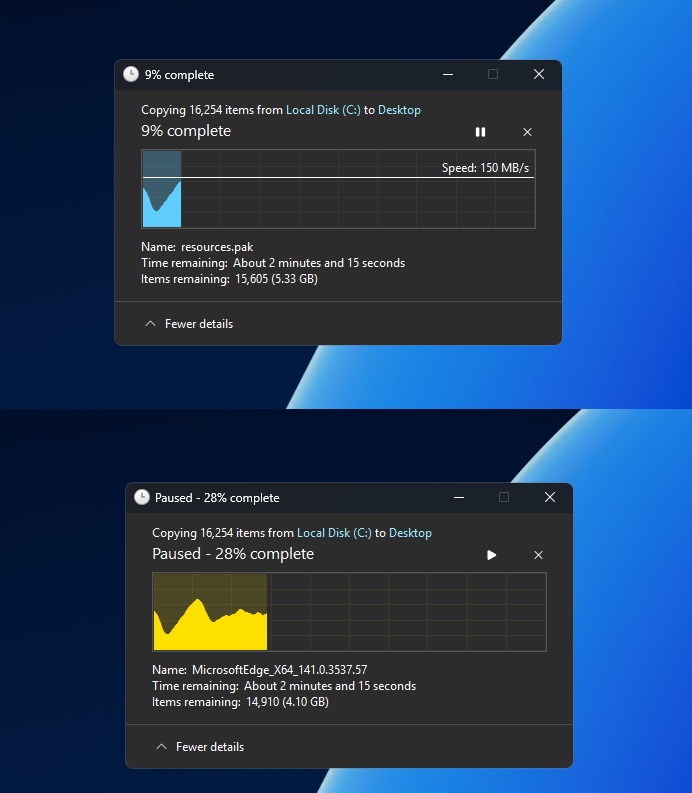
In another post, made while discussing File Explorer, they added: “We are working through our list of all older dialogs and rewriting them in WinUI3. The file copy dialog is already done, the common file dialog is on our list.” That is a notable comment, because although the immediate context was File Explorer, it suggests Microsoft is not just applying dark mode to old dialogs where it can, but actively rebuilding some of them using newer Windows UI technology.
Windows Latest has been tracking this dialog-by-dialog rewrite for months, starting when the file copy, move, delete, and cut dialogs first picked up dark mode support.
A modernised Autoplay dialog also appears to be part of this wider work. After a request in May for Autoplay to be refreshed, Marcus Ash from the Windows team indicated that it was happening and said he was looking forward to the day he could tag the user in an announcement about it. Recently, Windows chief Pavan Davuluri confirmed that Autoplay is among the areas coming to Windows Insider Preview Experimental builds in a blog post on the Windows Blog and on X.
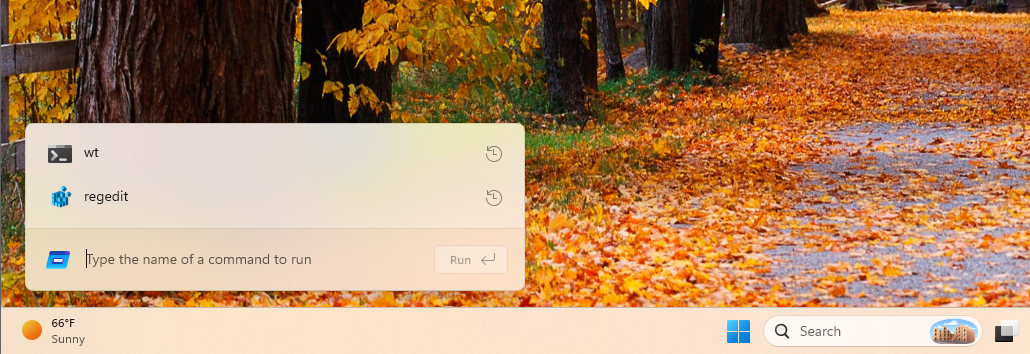
Davuluri said Microsoft has “strengthened the fundamentals of WinUI 3” and extended it into more of the Windows shell, including Widgets and the new Run experience. He also mentioned that the Autoplay dialog and more File and Folder Properties dialogs are coming soon to Experimental builds, with memory efficiency and latency improvements helping to support the wider modernisation of Windows 11 and the app ecosystem.
The new Run dialog is one of the clearest examples of this work paying off so far, with Microsoft’s own telemetry showing the WinUI 3 rebuild loading faster than the Windows 95-era version it replaces.
That context makes the new Print Management app more interesting. On its own, a redesigned printer tool may not sound like a major Windows 11 feature, but it points to something bigger: Microsoft is starting to tackle the deeper and less glamorous parts of Windows that still carry decades of old design language.
Windows 11 has a problem with UI consistency
Windows 11 still has an obvious consistency problem. Modern Fluent Design pages often sit next to older Win32, Control Panel, and MMC-era interfaces, sometimes only one click apart. At this point, it would not be entirely surprising if even long-forgotten Windows components such as dialer.exe eventually received the same treatment. Rebuilding these areas in WinUI 3 could help make Windows feel less like a mix of different generations of UI and more like one coherent operating system.
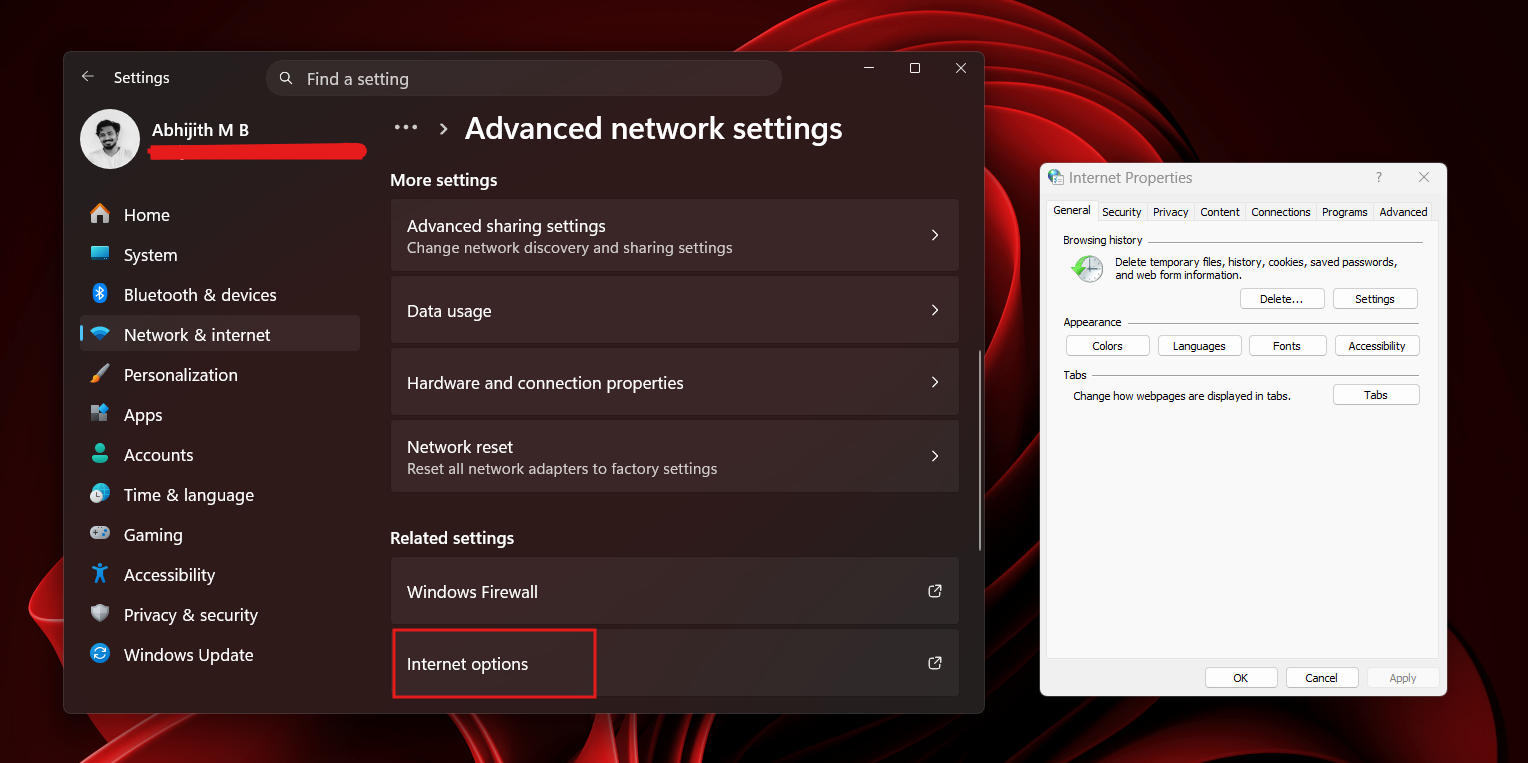
Microsoft’s design lead has acknowledged Control Panel is part of this same problem, explaining that the team is migrating old Control Panel controls into Settings carefully, given how many network and printer drivers still depend on it.
It also matters for IT admins and power users. Print Management is still useful for managing printer queues, drivers, ports, and shared printers, especially in businesses, schools and other environments where printing infrastructure remains important. If Microsoft is willing to modernise a tool like this, it suggests the company is looking beyond flashy consumer-facing changes and paying attention to the administrative tools people still rely on.
From a quick look, most of those older Print Management features still appear to be there, including access to printers, drivers, ports, and related management options. That is important, because a modern redesign would be much less useful if it came at the cost of the practical tools admins already rely on.
What’s next for Print Management and Windows 11’s redesign
For now, it is worth treating the new Print Management app as an early Insider feature. Microsoft could change it, remove it, delay it, or decide to keep the MMC-based version alongside it. But its appearance lines up with the company’s recent comments about WinUI 3, older dialogs, Autoplay, File and Folder Properties, and the ongoing effort to make Windows 11 feel more consistent.
More generally, this feels like a positive sign for one of Windows 11’s biggest remaining design challenges. The operating system has already made real progress in areas such as Settings, File Explorer, the taskbar, and other Fluent Design experiences, and Microsoft now appears to be working further down the stack to modernise the older dialogs, Control Panel pages and administrative tools that still feel out of place. That is encouraging, because it suggests the company is not simply leaving those inconsistencies behind. The move towards WinUI 3, refreshed dialogs, and more modern inbox experiences points to a Windows 11 that could gradually feel much more joined up, polished, and cohesive over time.
Personally, I think this is a great idea. Windows is at its best when it feels consistent, predictable, and cohesive, rather than like a collection of tools from different eras. Modernising smaller areas such as Print Management may not grab headlines in the same way as bigger consumer features, but these changes can make the operating system feel more polished and easier to trust. If Microsoft can bring more of these older interfaces into the same design language without removing the power and flexibility people depend on, it could make Windows 11 feel much more complete.
Would you welcome a modern Print Management app in Windows 11, or would you rather Microsoft leave classic administrative tools alone? Let us know which older Windows dialog or utility you think should be next for a redesign.

