
Afam’s experience in tech publishing dates back to 2018, when he worked for Make Tech Easier. Over the years, he has built a reputation for publishing high-quality guides, reviews, tips, and explainer articles, covering Windows, Linux, and open source tools. His work has been featured on top websites, including Technical Ustad, Windows Report, Guiding Tech, Alphr, and Next of Windows.
He holds a first degree in Computer Science and is a strong advocate for data privacy and security, with several tips, videos, and tutorials on the subject published on the Fuzo Tech YouTube channel.
When he is not working, he loves to spend time with his family, cycling, or tending to his garden.
As a tech writer, I’m constantly checking out new writing and note-taking tools, and whenever I do, I’m typically searching for the “holy grail” of that niche. With note-taking apps, I’ve tried far more than I’m willing to admit. A few, like Obsidian, Notion, and even OneNote, have been solid.
However, no matter the tool I try, I’ve always come back to Joplin. For regular, everyday work, it’s polished, easy to use, cross-platform, and offers freedom from lock-in. It’s the true king of the note-taking niche.
It earns its place slowly—and that’s exactly the point
Design sometimes signals quality, and Joplin doesn’t look spectacular, especially not if you’re used to Notion or Obsidian. So I understand how this first experience can make someone jump to a conclusion.
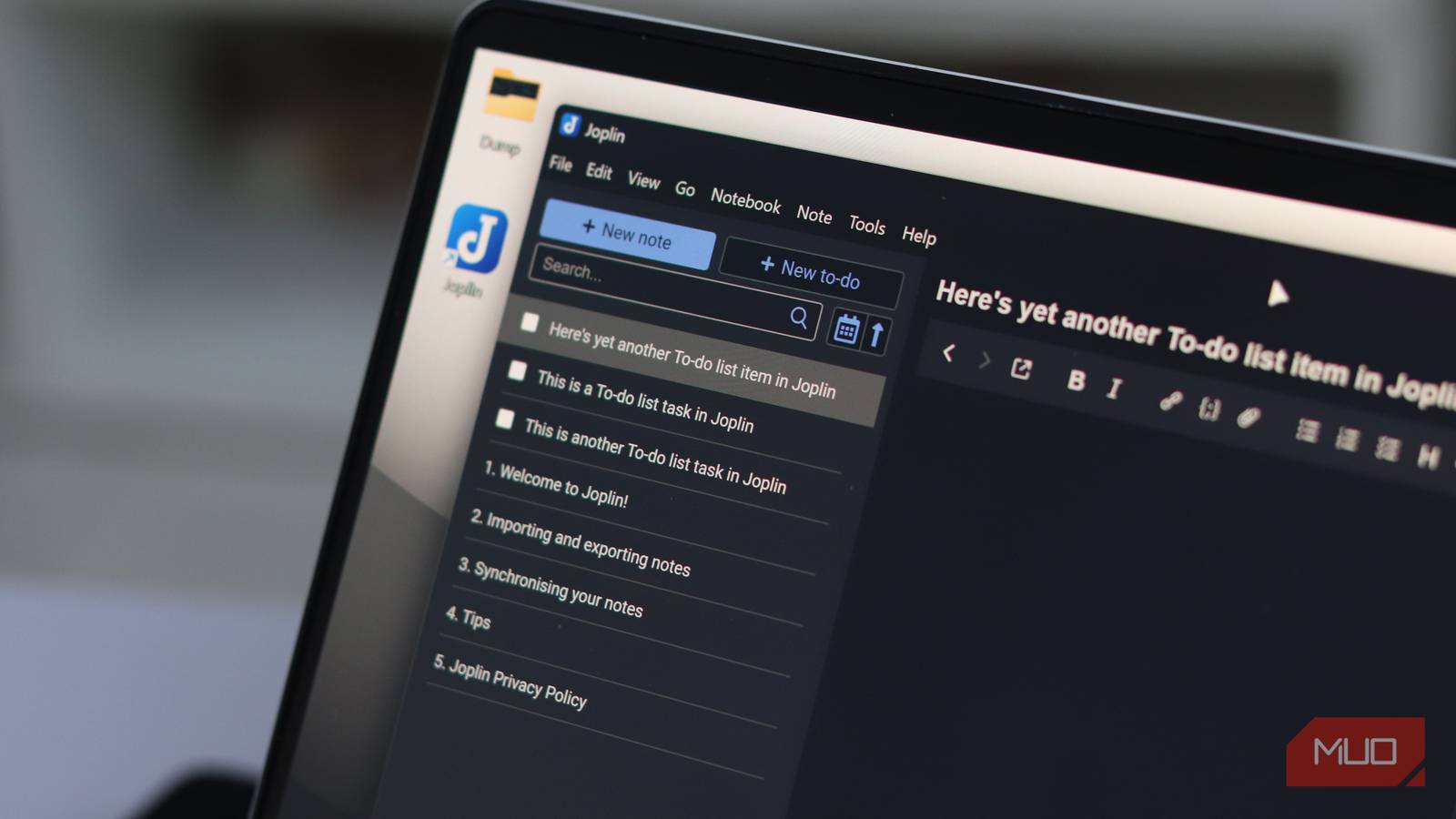
However, the seemingly plain design of Joplin feels deliberate. You get a three-panel layout: notebooks, notes, and an editor, and it stays consistent across macOS, Windows, and Linux. Aside from the interface, you also get a consistent set of keyboard shortcuts, with mobile apps following the same structure as the desktop app.
This is an intentional consistency that’s prioritized over providing a stripped-down alternative on some platforms. It allows you to have the same experience regardless of the device.
The consistency is Joplin’s form of polish, and this is harder to achieve than a beautiful but inconsistent onboarding screen. The very first time I went from laptop to phone mid-project, there was no need to reorient myself. The app’s consistency is the kind of finish many other tools do not attempt.

Joplin
- OS
- Windows, macOS, Linux, Android, iOS, FreeBSD, Terminal
- Developer
- Laurent Cozic (and community)
- Price model
- Free (open-source); Paid subscription for cloud storage
Joplin is a cross-platform, privacy-focused note-taking and task-management app. It supports rich features like Markdown notes, notebooks and tags, end-to-end encryption, a web clipper, self-hosted sync (via WebDAV/Nextcloud/Dropbox) or managed cloud sync with Joplin Cloud. It works offline, allows importing from Evernote, supports plugins and themes, and gives full control over your data.
Your notes are safer here than anywhere else
Ownership and encryption—and what each one actually means in practice

When you use most note-taking apps, you put a lot of trust in the company and its promises. You trust exports work when you need them, you trust the company will remain online, and more critically, you trust that data is handled responsibly. Joplin, on the other hand, reduces the amount of trust required from a provider.
Your notes are kept in Markdown in a database that is stored on your device. They never depend on whether Joplin’s servers are available. It has a clean export process that delivers your files in Markdown, which are readable and editable in any text editor; you are not trapped in any particular ecosystem. This is an important distinction from certain other tools that work with proprietary formats that only specific apps can decode.
It’s useful to compare Joplin with Obsidian, because both tools are big on data ownership. In fact, Obsidian has an edge with a slightly more direct approach that involves saving notes on the disk as .md files. But I still lean towards Joplin because end-to-end encryption (E2EE) is part of the free package, a feature that will cost me at least $4 in Obsidian per month.
Joplin protects against a threat model that is relevant to most people by offering E2EE in transit and on the sync server. However, you don’t get encryption for the local database on your device, which is also true for almost every note app in this category. This is exactly how some of the popular note apps in this category compare:
|
App |
Data format |
Local-first |
Free E2EE |
Clean exit |
|---|---|---|---|---|
|
Joplin |
Markdown (local database) |
Yes |
Yes |
Markdown export |
|
Obsidian |
Plain .md files on disk |
Yes |
No (needs $4/mo plan) |
Already on disk |
|
Evernote |
Proprietary |
No |
No |
ENEX (proprietary) |
|
Notion |
Proprietary |
No |
No |
Inconsistent export |
|
OneNote |
Proprietary |
No |
No |
.onepkg (proprietary/large) |
Joplin has an optional sync service called Joplin Cloud that costs about €2.40/month. However, this is just an optional service that lets you pay for convenience rather than a means of gatekeeping features that should be free.

The depth reveals itself only when you need it
What I discovered after a year that wasn’t obvious on day one
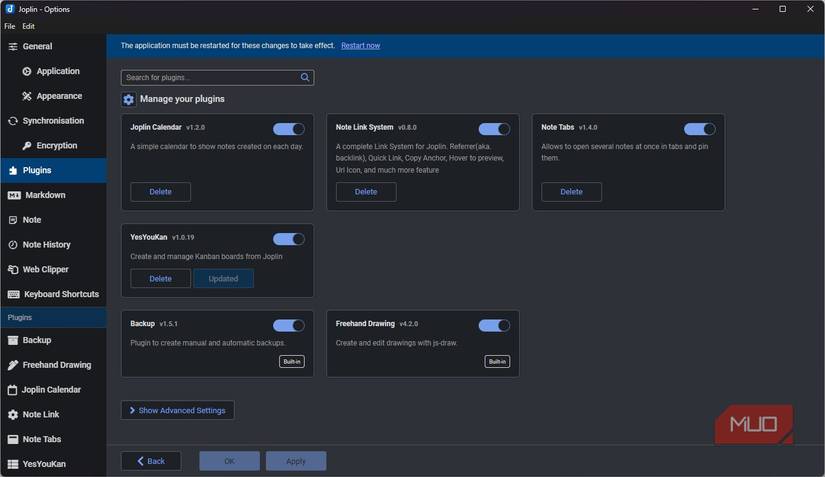
I was pleasantly surprised when I tried moving a batch of notes automatically in Joplin. I used its local REST API to pipe web content directly into a notebook. I didn’t even have to touch Joplin’s interface, and the twenty-minute setup time was worth it. It has saved me several hours ever since. For tools that can make HTTP requests, Joplin’s REST API allows you to create, search, and modify notes.
Also, if you primarily work in the terminal, you will benefit from its command-line client. But one element that brings Joplin to life is its plugin ecosystem. It’s not as robust as several alternatives, but it’s manageable in a way that makes it easy to find the right tools to add the exact kind of functionality you need. I use the Jarvis plugin a lot. Connected to my local Ollama instance, I’m able to summarize, auto-tag, and perform semantic search.
Most of the plugins I use with Joplin today were not part of my workflow from the first day. But it has consistently provided tools that remove friction and add fluidity to note-taking at the points when I actually need them.
So why doesn’t everyone use Joplin?
Joplin doesn’t prioritize aesthetics. Even though it has a functional interface, it will never match the visual elegance of tools like Notion. So if visual motivation is a huge factor in how you write, Joplin wouldn’t work for you.
It also has other gaps. The lack of a native bidirectional linking system is an example. This is where Obsidian beats it, especially for anyone building a Zettelkasten. However, these flaws constitute the visible shape of what Joplin isn’t trying to be. It’s not a collaborative workspace, nor is it a knowledge graph tool. It takes note‑taking seriously: it’s cross‑platform at a level few alternatives match, is privacy‑focused, and is free at its core.
All Joplin tries to do is make you actually invest in notes, rather than a platform, and that’s why even when I try several elegant options, I still end up back with Joplin.