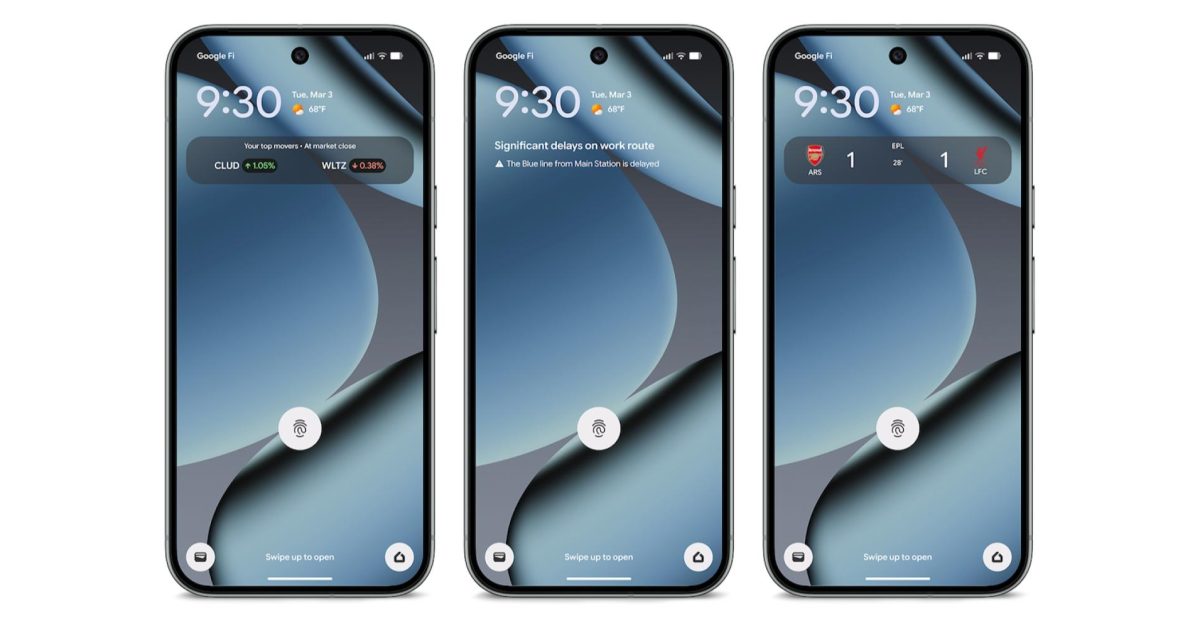
As part of the March 2026 Feature Drop, Pixel phones are getting two features to help “manage your commute,” including Transit mode.
Last week, Google publicized At a Glance showing real-time updates about commute conditions. For example, you might see “Significant delays on work route” at the top of your lock and homescreen. Google will provide specifics underneath like “The Blue line from Main Station is delayed.” This is an extension of the existing “Commute” feature that shows “Traffic info and travel time.”
The second capability is a personalized Transit mode “to turn on helpful settings while you’re on the train.” This is part of the Modes feature (like Do Not Disturb and Driving). Options include:
- To set volume settings during transit, tap Sound on, Vibrate only, or Silent.
- To set connectivity during transit, turn Use Bluetooth while commuting on or off
- To receive all notifications, turn on Allow all notifications.
- To choose who can send you notifications, tap People.
- To set which apps can send you notifications, tap Apps.
- To choose which alarms & other interruptions you’ll allow, tap Alarms & other interruptions.
A support document for the capability says “Google Maps needs time to learn your commute patterns” and that it “may take 2–3 weeks for commute info to appear after initial setup.” At a Glance is specifically leveraging your Maps Timeline (Location history) to learn your commute history and patterns.
To set up Transit mode and At a Glance commute alerts through the Modes menu
To set both features up, go to Settings > Modes > Transit > App Settings > Set up commute notifications. You will need to:
- Set up home and work locations.
- Confirm location settings.
- Build your commute profile.
As of today, we’re not seeing Transit in the Modes list, but we enabled what it will look like:
This is available on the Pixel 7 and newer:
Real-time transit info on At a Glance available only on Pixel 7 and newer, excluding Pixel Tablet. Language restrictions may apply. Available globally except Europe and the UK. Connection to Google account and Google Maps required


FTC: We use income earning auto affiliate links. More.