
An Android user had their life changed after discovering a hidden missed notifications feature.
After years of stressing over swiped-away alerts and disappearing one-time codes, they finally found a built-in tool that solved the problem for good.
What started as a simple settings search turned into a total game-changer for everyday Android phone use.
And the wildest part is that this feature has been hiding in plain sight the whole time.
EXPLORE SBX CARS – Supercar auctions starting soon powered by Supercar Blondie
This is a life-changing missed notifications hack for an Android user
We’ve all been there, accidentally swiping away the notifications we received on our gadgets only to never see them again, but thanks to this recently discovered feature by an Android user, that will never happen again.
The feature in question is called Notification history, and once you switch it on, your phone quietly keeps a log of every alert that comes through.
That means even if you accidentally clear your notifications in a single swipe, you can go back and see exactly what you missed.
For anyone who has ever frantically opened every app trying to track down a lost banking alert, delivery update, or verification code, this feels like the perfect backup plan.

The log shows which app sent the notification and when it arrived, all neatly organized in chronological order.
There are a couple of small catches, however.
It only starts saving notifications after you enable it, and you cannot use action buttons directly from the history list.
But as a safety net for everyday life, it completely removes that low-level anxiety of clearing something important.
Click the star icon next to supercarblondie.com in Google Search to stay ahead of the curve on the latest and greatest supercars, hypercars, and ground-breaking technology
How do you enable it?
Turning it on is surprisingly simple.
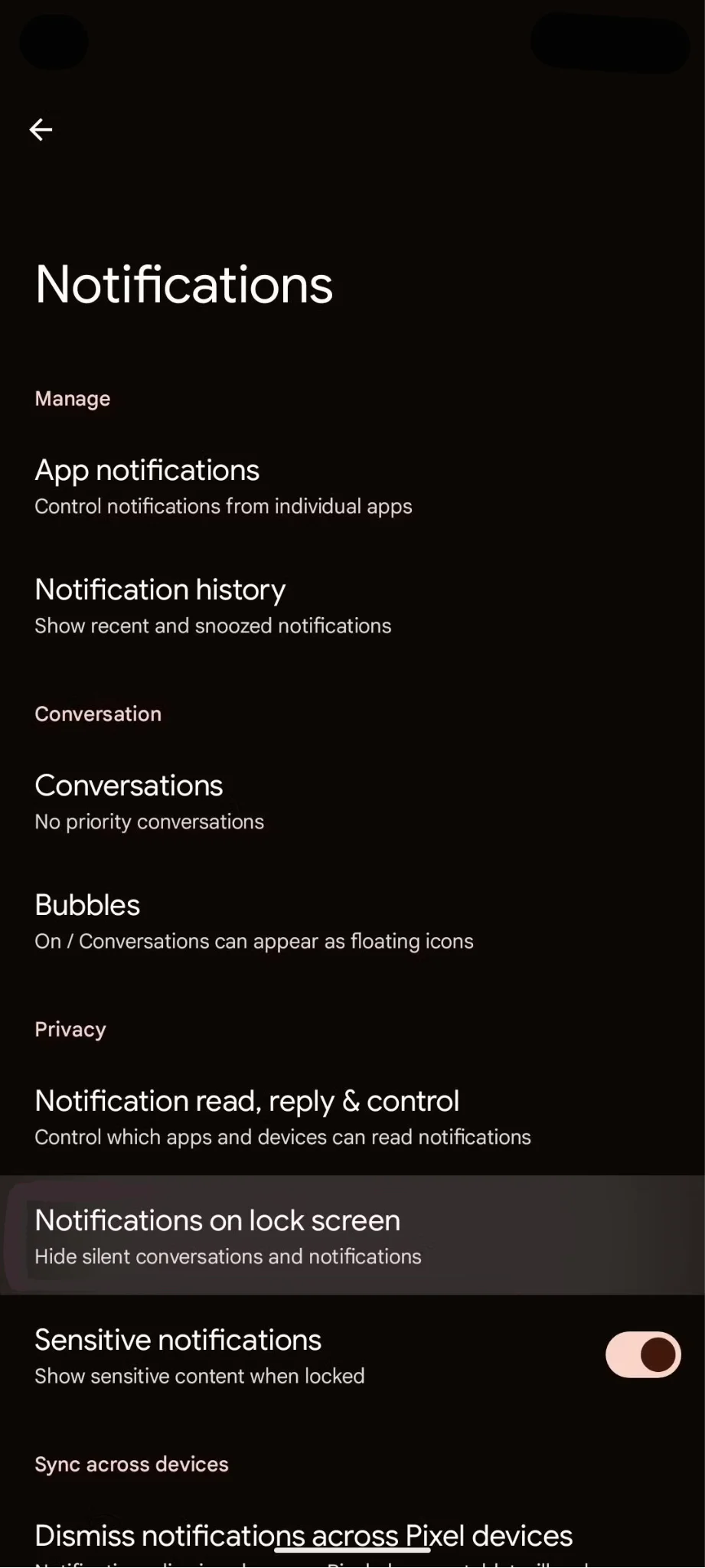
Head to Settings, tap Notifications, then select Notification history and toggle it on.
On some devices like Samsung phones, you might find it under Advanced notification settings, but a quick search in the Settings app will usually take you straight there.
Once activated, you are free to swipe away notifications without fear; you can clear out endless promo alerts and social media pings knowing that anything important can still be found later.
As a bonus, scrolling through your notification history makes it very obvious which apps are overdoing it, which makes it easier to fine-tune notification categories and keep only the alerts that actually matter.
For one Android user, this hidden feature completely changed the way they use their phone and handle missed notifications.
And if you have ever muttered ‘Where did that notification go?’ under your breath, it might just change yours too.
DISCOVER SBX CARS: The global premium car auction platform powered by Supercar Blondie

